Cisco CUCM technical guide
CUCM Call Detail Records (CDR)
Configure, analyze, and report on CUCM call records. Understand CDR and CMR files, decode the key fields, and troubleshoot call issues.
17 sections · Based on Cisco documentation
CDR Clarity
Free from call-recording.com
Call records, made readable.
Open your CUCM CDR and CMR files to explore decoded records, disconnect causes and charts.
Open free CDR viewerCDR vs CMR: What Does CUCM Actually Log?
Plus, our free, user friendly CDR viewing tool!
CDR Clarity
Free from call-recording.com
The smarter way to view Call Records
Our free tool decodes Cisco CUCM call records into plain language and displays them in a beautiful "spreadsheet" inspired UI.
Open free CDR viewerCisco Unified Communications Manager (CUCM) can write two kinds of records for every call that crosses your voice network: Call Detail Records (CDRs) and Call Management Records (CMRs). This guide covers how to configure, read, and use those records for reporting, billing, security, and troubleshooting.
Call detail records hold the metadata of each call: who called whom, when the call started and ended, how long it lasted, and how it ended (answered, busy, failed). They do not capture audio. That metadata is what billing, compliance, and security investigations depend on, and it is what operations teams use to trace routing problems or confirm how the system behaved.
The stakes are real. Telecom fraud losses reached an estimated $38.95 billion in 2023, which makes routine CDR review a basic control for compliance and security teams. CDR data also lets you calculate call costs by user or department, and CDR records can serve as digital evidence in legal proceedings. CUCM's native reporting tool, CDR Analysis and Reporting (CAR), provides browser-based reports, and many organizations also forward CDR files to external billing or analytics platforms over FTP/SFTP.
The sections below walk through enabling CDR and CMR, how the files are produced and stored, working with CAR, and building workflows for analysis, reporting, and call-history investigations.
CUCM produces two complementary record types. CDRs capture call flow and billing information; CMRs (sometimes called diagnostic records) capture call-quality metrics. CUCM writes both as flat files, but they serve different purposes.
What CDRs contain: Typical fields include the calling party number, called party (original vs. final), start and end timestamps, call duration, termination cause codes, device names, and gateway or trunk information. That routing and timing data makes CDRs the source for billing, per-user call volume, and network capacity planning.
What CMRs contain: Call Management Records provide Quality of Service diagnostics such as packet loss, jitter, and latency, plus codec information, MOS scores (when available), and bandwidth usage. They are the starting point for diagnosing voice-quality problems.
A single human call can produce several call-leg records. Transfers, forwards, hunt groups, and conferences each add more, so one CDR file can hold multiple rows for the same call. Fields such as callingPartyNumber, finalCalledPartyNumber, and globalCallID_callId tie those rows together, and analysts join CDR and CMR records on globalCallID_callId and globalCallID_callManagerId to build the complete picture.
For billing and high-level call history, CDRs alone are enough. For call-quality troubleshooting, SLA reporting, or QoS investigations, you need CMR data as well.

Enabling CDR and CMR in CUCM
CDR generation is disabled by default in CUCM. If you skip this step, your cluster produces no call records at all.
In Cisco Unified CM Administration, go to System > Service Parameters. Select each node running the Cisco CallManager service, find the CDR Enabled Flag service parameter, and set it to True. Repeat this for every server in the cluster that processes calls.
To generate CMRs as well, set the "Call Diagnostics Enabled" parameter on the same page to True (or "Enabled Only When CDR Enabled Flag is True"). The CallManager service then writes CMRs with quality metrics for each call leg whose endpoint supports diagnostics.
Keep the settings consistent. If the publisher has CDR enabled but a subscriber does not, calls processed by that subscriber never appear in your CDR data, and every report built on it will be incomplete. Every node that handles calls needs matching service parameter settings.
These changes do not require a service restart; they take effect with the next set of CDR files, based on the configured CDR File Time Interval. Also consider setting "CDR Log Calls with Zero Duration Flag" to True. Without it, calls that never connect (abandoned calls, misdials, signaling errors) won't appear in your call history, and those records often matter most for fraud detection and help-desk troubleshooting.
Core CUCM CDR Architecture and Data Flow
Knowing how CUCM produces and moves CDR data is the fastest way to troubleshoot reporting gaps. The pipeline has four stages: the CallManager service writes flat files, the CDR Agent copies them, the CDR Repository Manager organizes them, and CAR loads them into a database.
Each node running the CallManager service writes CDR and CMR flat files to local directories, one file per CDR File Time Interval. The CDR Agent, a network service on every call-processing node, polls for new files roughly every six seconds, transfers them to the publisher's cdr_repository directory, and deletes the local copies once the transfer succeeds.
On the publisher, the CDR Repository Manager takes over. It sorts incoming files into date-based directories, creates symbolic links for CAR loading and for external billing server destinations, and manages retention, keeping files for a configurable number of days and enforcing disk limits through high and low water marks.
CDR files can be sent to up to three billing servers at once using FTP or SFTP. Enterprises commonly feed them into SIEM, billing, or analytics platforms.
The CAR Scheduler service then reads from cdr_repository and inserts the raw data into the CAR database for web-based reporting. When you're chasing "no CDR data," delayed reports, or files stuck on individual nodes, this pipeline is where to look.
Key CUCM CDR Enterprise Parameters
Enterprise Parameters are cluster-wide settings that control how and when CUCM creates and exports CDR files. Edit them under System > Enterprise Parameters in Cisco Unified CM Administration.
CDR File Time Interval sets how much time each flat file covers. The default is 1 minute, and the range is 1 to 1440 minutes (24 hours). Short intervals (1–5 minutes) give near-real-time access, which suits security monitoring. Longer intervals mean fewer files but slower data availability.
Cluster ID identifies your cluster in exported CDR files. The default is "StandAloneCluster," with a maximum of 50 characters. Valid characters are letters, numbers, dots, and dashes. If you feed several clusters into one analytics or billing platform, a unique, descriptive cluster ID (e.g., "EMEA-PROD-01") keeps records from being misattributed.
CDRonDemand throttling parameters limit how many get_file and get_file_list queries per minute external systems can send to the publisher. Defaults are approximately 10 and 20 respectively. They protect the publisher when third-party tools pull CDR files via SOAP or web services.
Tuning recommendations:
- Keep the CDR File Time Interval at 1–5 minutes in security-focused environments
- Use a clear naming convention for your cluster ID
- Align throttling settings with the query volume your billing server or SIEM generates
Enterprise Parameter updates apply when new flat files are created and typically do not require a service restart.
CUCM CDR Services: CallManager, CDR Agent, Repository Manager
Three CUCM components handle CDR data. Think of them as the writer, the mover, and the organizer.
CallManager (Writer): The call-processing engine on each node. It creates CDR/CMR flat files on the CDR File Time Interval and writes them to local directories on that node. Without it, there are no CDRs to monitor or troubleshoot with.
CDR Agent (Mover): A network service on every node that runs CallManager. It polls local directories every few seconds for new CDR files, transfers them securely to the publisher's cdr_repository, and deletes the local copies after a successful transfer. If CDR Agent stops on a subscriber, that node's calls silently disappear from the central repository.
CDR Repository Manager (Organizer): Runs on the publisher. It builds the directory structure (car, destination1–3, preserve, processed, trans, tmp), controls disk usage with high/low water marks, manages retention, and sends files to external billing or analytics servers.
When any of the three fails or is misconfigured, the symptoms are predictable: missing CDR files on the publisher, backlogs on subscribers, gaps in CAR reports, or incomplete call history in external tools. Check service status regularly in Cisco Unified Serviceability (Control Center – Network Services), and monitor disk usage on /var/log/active/cm/cdr_repository with CLI commands such as file list activelog.

CAR Scheduler, CAR Web Service, and CDRonDemand
Three services sit on top of the raw CDR data and make analysis and reporting possible directly from CUCM.
CAR Scheduler runs on the publisher and periodically loads CDR/CMR files from cdr_repository into the CAR database. It follows a configurable schedule (default: continuous loading, 24×7) and can load CDRs only or include CMRs. It also purges old records when size or record limits are reached. The CAR database is capped at 6 GB, or approximately 2 million records across key tables.
CAR Web Service is a feature service on the publisher that serves the CAR web interface, typically at https://<CUCM-FQDN>:8443/car/. Activate it in Cisco Unified Serviceability > Tools > Service Activation. Without it, you can't run CDR reports, search CDRs, or view call history in a browser.
CDRonDemand is a SOAP/HTTPS service that lets external systems request CDR files for a time window (up to 1 hour) and deliver them to SFTP/FTP targets. It supports get_file_list (returns filenames for a date range) and get_file (retrieves a specific file), which is useful for just-in-time analytics or forensic collection.
You configure these under Cisco Unified Serviceability > Tools > Service Activation and CDR Management. Because the CAR database has a hard size limit, relying on CAR alone for long-term retention is risky; offload CDR data to external systems for archiving and deeper analysis.
Understanding CUCM CDR File Structure and Directories
All CDR/CMR files end up on the CUCM publisher under /var/log/active/cm/cdr_repository. Knowing the directory layout and file naming helps with both automation and troubleshooting.
The main directories are:
| Directory | Purpose |
|---|---|
| car/ | Symbolic links for CAR to load into its database |
| destination1–3/ | Symbolic links for external billing server transfers |
| preserve/ | Date-based directories containing original files |
| processed/ | Fully handled files (loaded by CAR and sent to all destinations) |
| tmp/ | Files staged for processing |
| trans/ | Files currently being transferred from other nodes |
CAR uses the car/yyyyMMdd symbolic links to decide which CDR files to load. External billing servers fetch from their own destinationX/yyyyMMdd directories.
A typical CDR filename looks like cdr_StandAloneCluster_01_20260124-0100-0105_1.log. It encodes the prefix (cdr or cmr), cluster ID, node sequence number, time window, and file sequence. The files themselves are comma-separated flat files.
To confirm files are flowing, check that:
- New date directories appear daily in preserve/
- processed/ contains older days' files
- trans/ and tmp/ are usually small
Large accumulations in tmp or trans point to a downstream processing problem. Use CLI commands like file list activelog /cm/cdr_repository/<folder>/<date> to check file counts and sizes, especially after configuration changes or outages.
Key CUCM CDR Fields and How to Interpret Them
Cisco CDRs can contain more than 100 columns depending on version and configuration, but a small subset answers most questions about call history, routing, and troubleshooting.
Identity and routing fields:
- callingPartyNumber – the calling party number (originator)
- originalCalledPartyNumber – the number originally dialed
- finalCalledPartyNumber – where the call actually terminated (differs from the original when forwarding, hunt groups, or pickup are involved)
- redirectingPartyNumber – the party that forwarded or transferred the call
- origDeviceName / destDeviceName – the physical endpoints involved
Together, these fields show who placed a call, when, and how it was routed, which is the basis for both troubleshooting and traffic analysis.
Timing fields: dateTimeOrigination marks the call start, dateTimeConnect marks the answer, and dateTimeDisconnect marks the end. The duration field is in seconds. A zero dateTimeConnect with a non-zero ringDuration means the call rang but was never answered, so its conversation duration is zero.
Termination cause codes: origCause_value and destCause_value help identify call failures. Codes like "normal call clearing" indicate expected behavior, while "no circuit available" or "call rejected" point to routing failures or carrier issues. These codes are how you tell user behavior apart from network problems.
Device and gateway indicators: origIpAddr, destIpAddr, the outgoing/incoming trunk fields, and route pattern information map calls to specific phones, CTI devices, gateways, and SIP trunks along the call path.
CMR quality fields: Paired with CDRs, CMRs add jitter, packetLoss, latency, codec, and MOS indicators. Latency above 150 ms or packet loss above 1–2% generally correlates with poor perceived call quality.
Working with Raw CDR Files: CSV, Excel, and Scripts
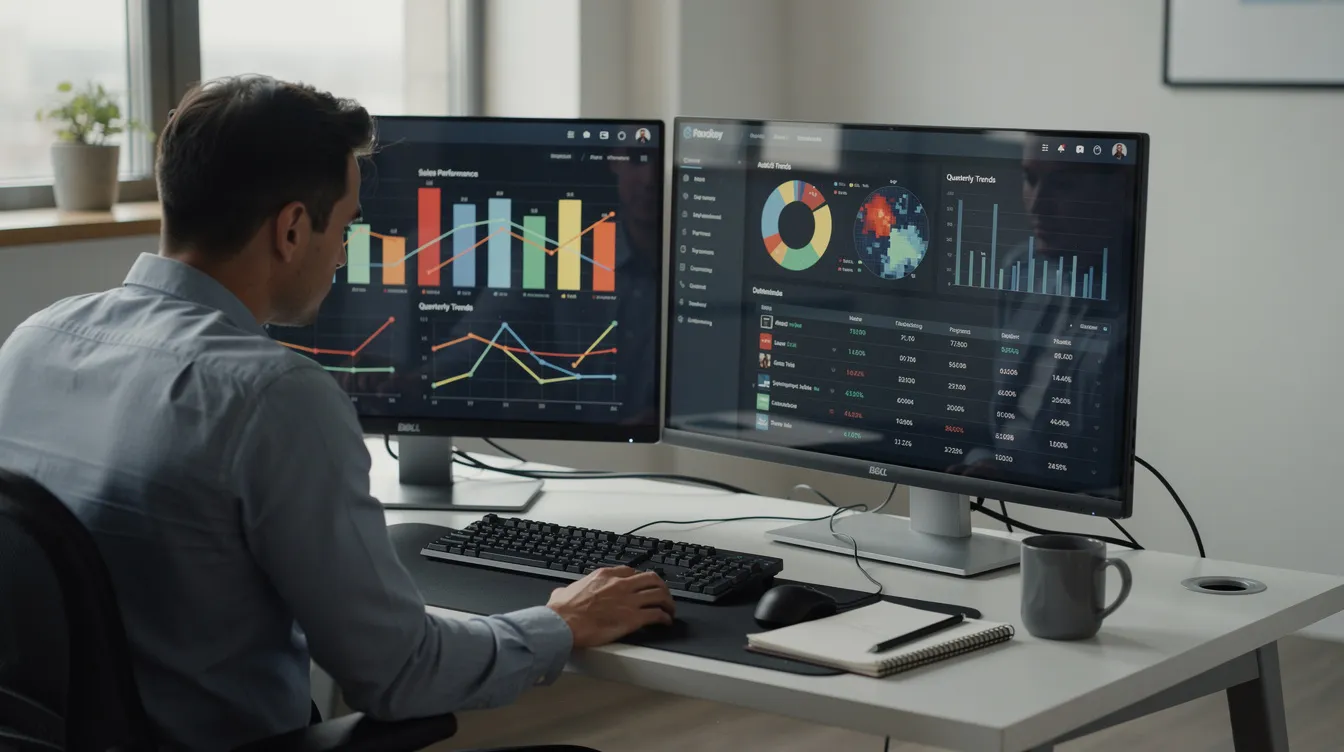
CUCM CDR files are comma-separated flat files. You can open them in a text editor or import them into Microsoft Excel, LibreOffice, Python, R, Splunk, or a SQL database. Most teams get them either through the CAR tool or as exported files pulled over SFTP.
Small-environment workflow: Download CDR files via CAR or SFTP, open them in Excel using Data > From Text with a comma delimiter, set column types, and filter on fields like callingPartyNumber and dateTimeOrigination to review call history for a specific user ID or directory number.
Formatting quirks to watch for:
- IP addresses (origIpAddr, destIpAddr) are often stored as signed integers that need converting to dotted-decimal notation
- Timestamps are typically Unix epoch values that need converting to a readable format
- Some fields appear only in files destined for external billing apps, not in manual exports
Scripting for scale: At higher volumes, parsing CDRs with Python (pandas), PowerShell, or SQL imports is far more practical than working in Excel. You can join CDR and CMR files on globalCallID_callId, filter by date range or called number, and build repeatable analysis and reporting workflows.
For large data sets, split files by date, normalize time zones, and pre-filter by calling or called number. The CAR interface works for ad hoc questions, but continuous monitoring of call detail records usually needs a dedicated reporting stack.
No time to waste translating raw call detail records? Use Call Recordings FREE tool below!
CDR Clarity
Free from call-recording.com
The smarter way to view Call Records
Our free tool decodes Cisco CUCM call records into plain language and displays them in a beautiful "spreadsheet" inspired UI.
Open free CDR viewerCDR Analysis and Reporting (CAR) – Roles, Settings, and Access
CAR is CUCM's built-in web tool for CDR reports, call-history investigations, and call-quality and traffic monitoring without exporting raw files.
Roles and access control:
| Role | Scope | Typical User |
|---|---|---|
| CAR Administrator | Full control: system, device reports, configuration | UC/voice engineers |
| Manager | Department-level QoS and usage reports | Team leads |
| End User | Personal call history and individual bills | Any employee |
Roles are managed through CUCM user groups such as "Standard CAR Admin Users." Each role can log in to the CAR web interface.
Essential pre-configuration: Before generating your first reports, configure mail server details for report delivery, dial plan definitions (local vs. long distance vs. international) so call costs are billed correctly, gateway definitions with port counts for utilization reports, and system preferences such as currency and time zone.
Access paths: Administrators log in via Cisco Unified Serviceability > Tools > CDR Analysis and Reporting. End users go to the direct URL (https://<server>:8443/car/). Login errors (403 or IMS error codes) usually trace back to misconfigured roles or password issues.
Keeping CAR's dial plan and gateway configuration aligned with actual CUCM routing avoids misclassified calls and wrong billing totals. Document CAR admin assignments, password rotation rules, and access review cycles so CDR reporting meets your security standards.
Built-in CAR Reports: User, System, Device, and QoS
CAR offers several report categories built from CDR data, covering billing, compliance, quality, and capacity. Reports can be scheduled daily, weekly, or monthly with automatic email delivery.
User Reports include individual bills, department bills, and Top N reports (top users by call count, total duration, or charge). They support cost allocation, abuse detection, and management oversight, and help track phone usage and billing codes.
System Reports include:
- QoS Detail and Summary – call quality across the cluster
- Traffic summary – calls by hour/day and by call type, essential for capacity analysis
- Authorization Code / Forced Authorization Code reports – calls tied to specific projects or clients through forced authorization code entries
- Malicious call details – where enabled, calls flagged for security review
You can also build a custom report with CAR's filters to focus on specific hunt pilot DNs, route pattern usage, or outbound calls to particular destinations.
Device reports include gateway detail/summary, route group and hunt list utilization, conference bridge utilization, and voice-messaging device reports. Use them for capacity planning and right-sizing.
Reports can run on demand or on a daily, weekly, or monthly schedule. Date ranges with no data appear as 0.00 or empty charts rather than being omitted. A sensible baseline of recurring reports:
- Daily: traffic summary and QoS summary
- Weekly: gateway utilization and device reports
- Monthly: Top N users and department bills
Using CDR Search and Call History for Investigations
CAR's CDR Search is the quickest way for engineers and security teams to examine detailed call history without pulling raw files. It only works if CDR and CMR collection is enabled across the cluster, and it is often the first stop when looking for patterns of suspicious activity.
Common search filters map directly to CDR fields:
- User extension (calling or called party)
- Gateway or trunk (unique identifier for the path)
- Date range and time window
- Termination cause
- Malicious call flag
- Call direction (inbound, outbound, internal)
Investigation example: Suppose you suspect toll fraud on a specific extension. Search for that extension's outbound calls to international destinations over a weekend. Look for many short calls or repeated zero-duration attempts. Export the results to CSV so the security team can dig deeper.
CDR Search respects CAR roles. Managers may see only their departments' calls, while administrators see cluster-wide records. User-level searches can support HR or compliance inquiries when a specific user ID or directory number is under review.
Exports (typically CSV) let you feed CDR/CMR data into external tools for pattern detection, anomaly scoring, or incident response. Standard investigation playbooks built on CDR Search, such as the steps to take when a phone is reported compromised, help teams use CUCM call data consistently.
Logging Calls with Zero Duration and Special Call States
Zero-duration calls never reach an answered state: abandoned calls, misdials, or calls that end with signaling errors before media is established. By default, many of them won't appear in your CDRs unless you configure CUCM to capture them.
The "CDR Log Calls with Zero Duration Flag" service parameter controls this. When it is True (and the CDR Enabled Flag is also True), CUCM writes CDRs even for calls with a zero dateTimeConnect, which you need for a complete call history.
CUCM always logs zero-duration calls that end with errors (network failures, routing problems), regardless of the flag, because those records are essential for troubleshooting.
Use cases for zero-duration logging:
- Detecting robocall floods hitting a contact center
- Identifying misconfigured dial plan routes or route pattern errors
- Monitoring nuisance calls
- Investigating repeated failed attempts from a compromised endpoint
The trade-off is volume. Enabling the flag increases the number of CDRs stored in CAR and exported to billing systems, so you may hit the 2 million record limit sooner.
Most enterprises should enable this flag. Capturing every call attempt, including those that never connect, is usually worth the extra storage. Size your analysis and reporting pipelines for the added volume.
Managing CDR Backlogs, Connectivity, and Billing Server Issues
One of the most common CUCM CDR problems is files that stop reaching external billing or analytics servers. The usual causes are SFTP/FTP connectivity failures, backlogs, or cryptographic algorithm mismatches after upgrades.
Detecting a backlog: Use the CUCM CLI or Cisco Unified Serviceability to inspect the cdr_repository directories. Normally only a handful of files are waiting in trans or tmp at any time. Hundreds or thousands mean a processing bottleneck.
Connectivity troubleshooting checklist:
- Verify SFTP access from a workstation using the same credentials CUCM is configured to use
- Confirm firewalls allow port 22 (SFTP) or 21 (FTP) between publisher and billing server
- Check that billing server hostnames resolve correctly via DNS
- For older CUCM versions, confirm the billing server supports the SSH ciphers and Diffie-Hellman key exchange algorithms CUCM uses
Each of the up to three billing server destinations is independent. A failure reaching one does not block transfers to the others, but files for the failed destination will pile up.
Remediation steps:
- Restart CDR Agent or CDR Repository Manager services during a maintenance window
- Clear or correct misconfigured billing server entries in CDR Management
- Temporarily disable non-critical destinations to reduce load
- Monitor the backlog as it drains
After major CUCM upgrades, network changes, or security patches, confirm that CDR files still reach every configured destination. SSH cipher changes are a frequent cause of silent transfer failures.
CDR Data Retention, Compliance, and Archiving Strategies
CUCM's CAR database and cdr_repository directories are built for operational reporting, not long-term regulatory retention. Default limits (6 GB or approximately 2 million records) mean older CDR data is purged automatically.
Compliance drivers that demand longer retention:
- Financial regulations (e.g., MiFID II requires retaining relevant communications for 5+ years)
- Healthcare audit requirements (HIPAA)
- Internal HR policies and security forensics
- Legal discovery and fraud investigations
Retaining CDRs under a defined data retention policy is considered best practice, and many of these requirements extend well beyond CUCM's default retention window.
Practical archiving approaches:
- Schedule automated exports from CAR
- Pull CDR files via SFTP or CDRonDemand to a central archive
- Load CDR/CMR into data warehouses, SIEMs (Splunk, Elastic), or log management platforms for long-term storage
Integrity considerations: If call detail records might be used as evidence in legal proceedings, preserve the original flat files in read-only storage, compute cryptographic hashes at export time, and keep chain-of-custody logs separate from analytic transformations.
A documented retention policy should cover:
- CDR data volume estimates and growth projections
- Storage locations (on-premises vs. cloud)
- Access controls and encryption at rest
- Retention durations per jurisdiction and business function
Because CAR purges older data, relying on it for historical analysis is risky. Build a dedicated CDR archiving workflow into your CUCM operations from the start.
Advanced CDR Analysis Use Cases: Fraud, QoS, and Capacity Planning
Turning raw CDRs into decisions takes structured analysis. Here are three concrete scenarios.
Toll-Fraud Detection: Look for spikes in international calling outside business hours, many short calls to high-risk destinations, or outbound calls from devices that normally place only local calls. Given the scale of telecom fraud losses, proactive monitoring pays off. Use CDR Search or external analytics to flag anomalies in calling party number patterns, redirect chains, or unusual termination codes. Adding CMR data can reveal calls that connected but whose media failed (unusually high packet loss or jitter).
QoS Monitoring: Track CMR jitter, latency, and packet-loss metrics over a date range, and correlate poor quality with specific WAN links, subnets, or remote sites. Jitter above 30–50 ms, latency above 150 ms, or packet loss above 1–2% are reliable warning signs. Feed the findings into QoS policy tuning and track improvement through recurring reports.
Capacity Planning: Peak-hour analysis shows whether you have enough resources. Use traffic summary and gateway utilization reports over several months to find busy hours, PRI or SIP trunks near capacity, and underused conference bridges. That leads to concrete actions: adding trunks, rebalancing route groups, or consolidating underused resources.
Richer analysis often means joining CUCM records with external data such as Active Directory attributes, site codes, or cost centers so reports make sense to business stakeholders. Set a review rhythm: monthly fraud reviews, weekly QoS reviews, and quarterly capacity reviews built on CDR metrics.
Best Practices Checklist for Reliable CUCM CDR Operations
Use this checklist to keep CUCM call detail record collection reliable, reporting accurate, and troubleshooting efficient.
Configuration:
- Enable CDR and CMR on every node running the CallManager service (CDR generation is disabled by default in CUCM)
- Enable logging for calls with zero duration
- Set a short CDR File Time Interval (1–5 minutes) for near-real-time visibility
- Configure a meaningful, unique cluster ID
Operational Monitoring:
- Verify the CDR Agent and CDR Repository Manager services are running in Cisco Unified Serviceability
- Periodically inspect cdr_repository for backlogs (trans/tmp should be small)
- Validate SFTP/FTP connectivity to all billing server destinations
- Confirm CAR Scheduler status and loading schedules
Data Management:
- Define a retention and archiving plan beyond CAR's built-in limits
- Regularly export and back up CDR files to external storage
- Keep CAR dial plan and gateway definitions in sync with CUCM configuration changes
Security and Compliance:
- Restrict CAR administrative access to authorized personnel
- Encrypt archived CDR data at rest
- Maintain audit trails for who accesses call history
- Coordinate with legal/compliance teams on evidentiary requirements for CDRs
A well-run CDR setup turns raw call logs into a dependable source for operations, finance, security, and compliance teams. Start by confirming that CDR collection is enabled on every node in your cluster, then build your retention and analysis workflows from there.
Still struggling to decipher your call detail records? Try our user friendly tool!
CDR Clarity
Free from call-recording.com
The smarter way to view Call Records
Our free tool decodes Cisco CUCM call records into plain language and displays them in a beautiful "spreadsheet" inspired UI.
Open free CDR viewerPrimary references
Cisco documentation and supporting evidence
Check the documentation for your CUCM release to confirm version-specific field names, limits, and service behavior.
From CDR metadata to accountable recordings
Start recording Cisco calls without an implementation project.
The full 30-day trial includes self-service setup, recording search, retention controls, and Cisco platform workflows.