Product news ·
CallRecording Is Now Available on Webex App Hub
Find CallRecording on Webex App Hub, connect your organization, and bring Webex recordings into the same searchable archive as your CUCM calls.
CallRecording is now listed on Webex App Hub. Webex customers can find the app, review its account requirements, and connect their organization through our public Webex setup page.
The integration brings Webex Calling recordings into call-recording.com for archiving, playback, transcription, search, and AI analysis. Teams can also connect Webex messaging and meeting history, and review communications alongside their Cisco Unified Communications Manager (CUCM) recordings.
One place to find and review Webex conversations
A recording is only useful if you can find the right conversation and get to the part that matters. CallRecording combines the audio, call details, and transcript with tools for reviewing summaries, sentiment, and risk signals.
- Import Webex recording history and receive new recordings automatically.
- Search by exact wording or meaning, then open the original evidence.
- Play back a recording and review its transcript and AI analysis.
- Bring calls, messages, and meetings into the same archive workflow.
See the Webex recording experience, explore conversation search, or review the AI analysis tools.
Built for the move from CUCM to Webex Calling
Many Cisco environments move to Webex Calling in stages. Some users remain on CUCM while others join a Webex pilot or a later migration wave. Recording history has to stay accessible throughout that transition.
CallRecording brings customer-hosted CUCM recording and Webex cloud recordings into the same organization. Reviewers can work with the existing archive while new Webex recordings arrive.
Before moving a pilot group, validate CUCM recording and connect Webex. Place a test call on Webex, confirm that it appears and plays correctly, and check that the reviewer can still find the CUCM history. Repeat that recording check for each migration wave.
Our CUCM-to-Webex Calling migration guide covers the wider plan, including endpoint inventory, identity, PSTN, coexistence, feature dependencies, and recording acceptance.
Get started from Webex App Hub
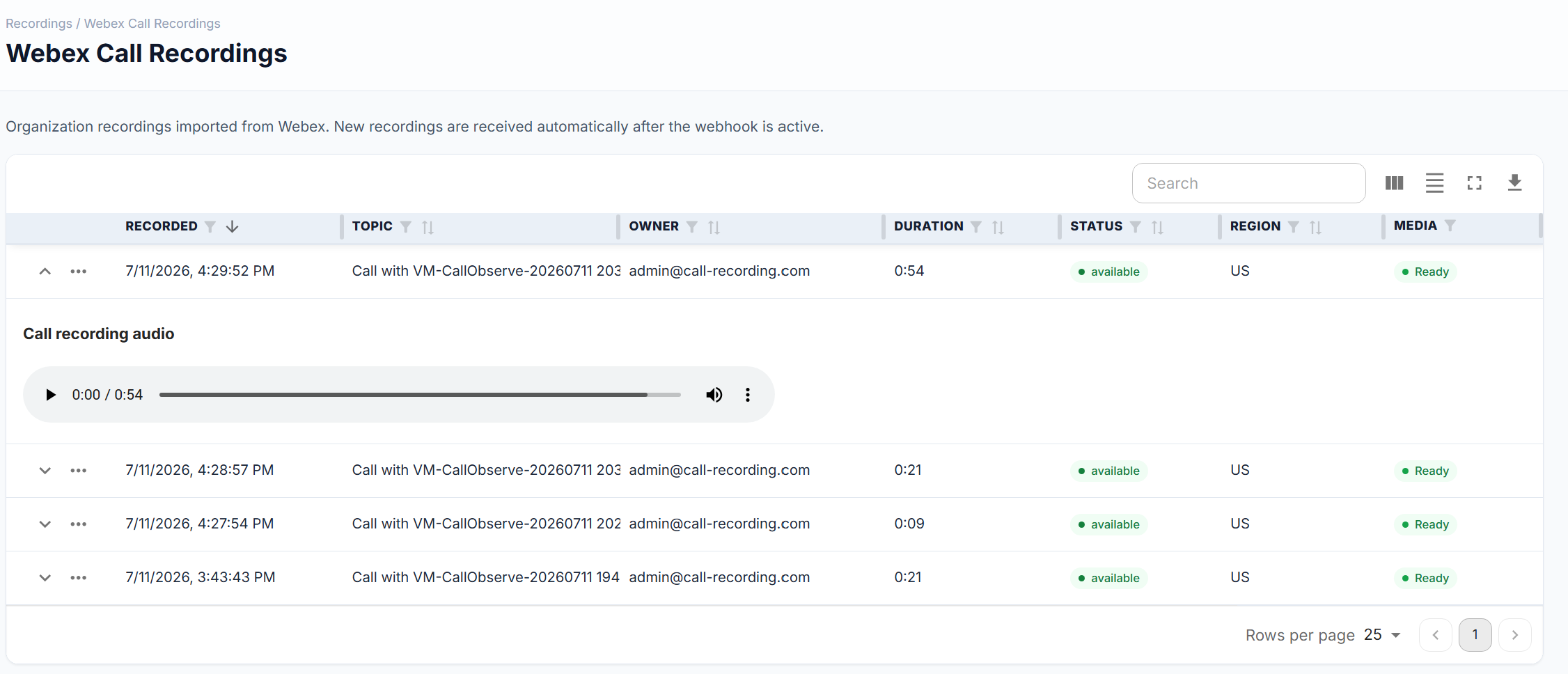
Watch the Webex connection and recording review demo to see the connected organization, playback, waveforms, and transcript of an internal test call.
- Open the CallRecording listing and select Learn more.
- Create your call-recording.com account and choose Webex in the Easy Setup wizard.
- Authorize the Call Recording Service App in Control Hub using the account roles described on the setup page.
- Open the archive and verify an imported recording, its playback, and the available analysis.
Call recordings and organization-wide messaging have different account requirements. The setup page explains which administrator role is needed for each connection.
Review pricing and security and trust, or start your free trial.